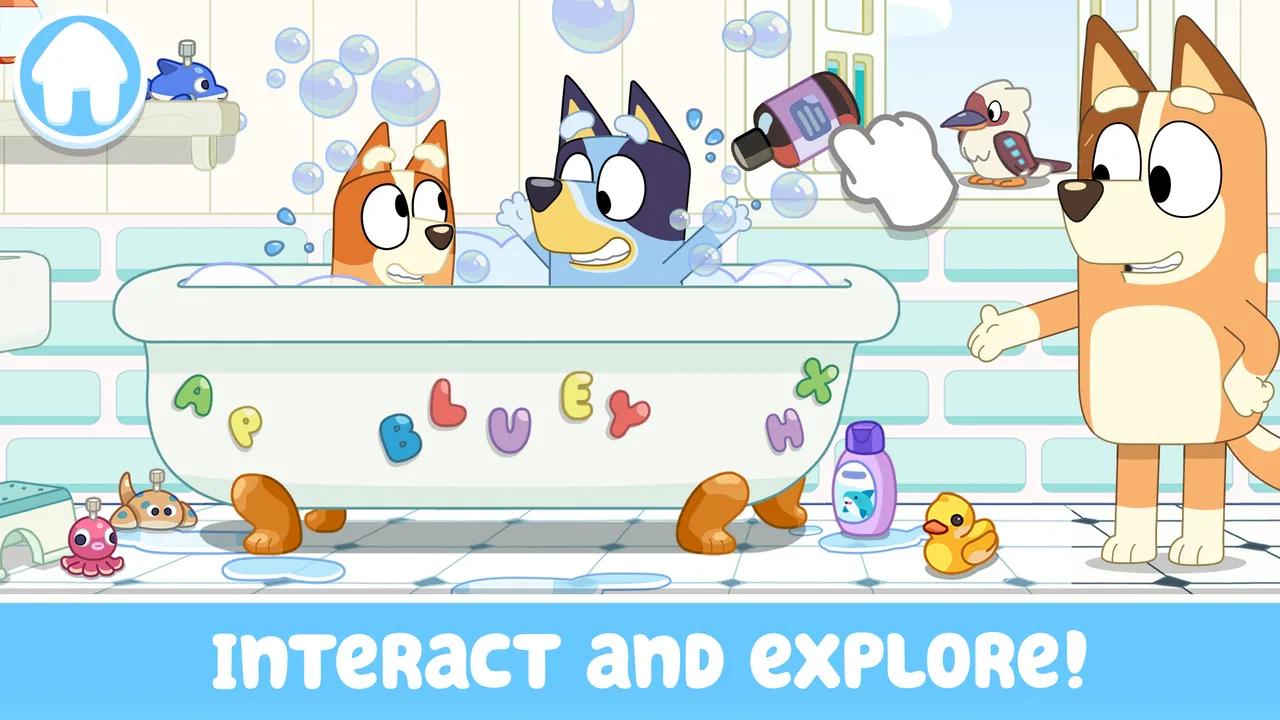
Bluey: Let's Play!
- 4.3
- Rating
- 50.00M
- Installs
- Free
- Price

 Analysis by App-foxy
Bluey: Let's Play! immediately feels like a digital playroom rather than a conventional mobile game. I found myself approaching it less as a challenge to beat and more as a space to explore with Bluey, her family, and the familiar visual language of the television series. That distinction matters: this is a casual game for children and families, not a reflex test or a long-term competitive hobby.
The free download makes it easy to try, and its Everyone age rating supports its role as a gentle choice for younger players. Budge Studios has built the experience around imagination, simple interaction, and recognizable characters. After spending time with it, my main impression is that the game succeeds best when a child wants to invent a small story, move around a colorful setting, and experiment without pressure.
How the world communicates before you even play
The art direction does much of the teaching. Bright colors, rounded shapes, expressive characters, and a home-like setting make the game readable without demanding that a child understand complicated menus first. Bluey’s world is presented as a place to touch and investigate, so the visual design naturally encourages curiosity. I rarely felt that the presentation was asking the player to stop and study instructions before having fun.
You May Also Like

 Blood Strike: 2.5 Anniversary
Blood Strike’s Loadouts Turn Every Drop Into a Tactical Gamble
A close look at Blood Strike’s custom loadouts: how fast access to signature weapons reshapes its battle royale rhythm, rewards preparation, and narrows the gap between fights.

 Pandora - Music & Podcasts
Pandora’s Music Is Easy to Start, but Harder to Recover
Pandora’s strength is its low-effort path from a seed to a station. Its weak spot is how much confidence it asks you to place in connection, setup, and quiet recovery.

 8 Ball Pool
 Is Built on Rivalries, Rematches, and Routine
A close look at the rivalries, rematches, shared routines, and unanswered safety questions that turn a quick pool match into a persistent mobile community.

 Samsung Music
’s Quiet Strength Is Playing What You Already Own
Its reach comes less from spectacle than from dependable access to a personal library. That simplicity is both the app’s strongest retention engine and its ceiling.

 AccuWeather: Weather Radar
AccuWeather Review: A Quick, Clear Forecast for Everyday Decisions
For everyday plans, the best forecast is the one you can understand quickly. AccuWeather makes rain timing, radar, and local conditions easy to act on, with a few trade-offs.

 Hill Climb Racing
Why Hill Climb Racing Still Turns Crashes Into One More Run
A tiny car, a bumpy hill and one more upgrade: Hill Climb Racing keeps resurfacing because its simple chaos makes every near-miss feel personal.
More From Our News Desk
View All News


That clarity is especially useful for children who are still developing confidence with touchscreen controls. Objects stand out from the background, characters are easy to recognize, and the overall look avoids the visual clutter found in many free mobile games. The result is a setting that feels welcoming instead of noisy, even when several things invite interaction at once.
What I appreciate most is how the familiar Bluey identity is used as a playable mood rather than pasted on top of an unrelated game. The setting feels domestic and imaginative, which makes ordinary actions seem suitable for pretend play. A child can treat a room as a stage, turn a simple interaction into a story, and move on when that story is finished.
The strongest feature is the freedom to create a short play session without being pushed toward a high score. That makes it a good fit for a quiet afternoon, a short trip, or a few minutes before bedtime. It also means parents should set expectations correctly: the appeal comes from open-ended discovery and character-based play, not from a deep campaign with increasingly complex objectives.
A useful setting for imaginative play
When I played alongside a child, the most productive approach was not to demonstrate every possible action. Instead, I let the player choose a character or area and asked what was happening in the scene. That small change turned the app from a sequence of taps into a shared storytelling tool. The game provides the props and recognizable world; the child supplies the explanation.
This is one of the less obvious strengths of the design. A parent can use it as a conversation starter rather than simply handing over a device. Asking a child to describe why a character is moving, what might happen next, or which room should be visited can make a short session feel more active and personal. The game does not need to carry the entire experience by itself.
There is also a practical trade-off here. Children who enjoy making up scenes may return often because the same setting can support different stories. Children who want constant rewards, missions, or a clear finish line may lose interest sooner. I would choose this over a traditional arcade-style game for imaginative play, but not for a child specifically asking for puzzles, racing, or action.
Visual pacing that suits younger players
The game’s visual rhythm is deliberately unhurried. It gives the player time to look, tap, and understand what changed. That makes it approachable for younger users, especially those who become frustrated when a game demands fast reactions. I found the slower pace helpful when playing together because there was room to talk instead of rushing from one objective to the next.
At the same time, the relaxed structure can feel limited to older children who already understand mobile games and expect a stronger sense of progression. There is no need to treat that as a flaw, but it is an important buying decision. The game’s calm presentation is part of its identity, so it will not suddenly become a more demanding adventure after a few sessions.
Sound, rhythm, and the feeling of being in the scene
The audio works with the visual design to keep the mood light and familiar. Rather than turning every interaction into an intense event, the sound supports the sense that the player is spending time in a playful family environment. This matters because sound can easily make a children’s app feel frantic; here, the overall rhythm is better suited to relaxed exploration.
I recommend trying the game with the device volume at a comfortable level instead of muting it immediately. The audio helps signal that something has happened after a tap and gives interactions a little more personality. In a shared room, however, parents may prefer headphones or lower volume during repeated play, since a child can return to the same actions several times.
The sound design also reinforces the game’s pacing. There is no constant pressure to react before a timer expires, so the player can listen, observe, and decide what to do next. That makes the experience less tiring than many casual games built around rapid rewards. It is a small design choice, but it helps the app feel coherent from screen to screen.
For a child who uses a tablet as a calming activity, this balance is valuable. I would still avoid presenting it as a guaranteed quiet-time solution, because any interactive game can become stimulating when played for too long. The better use is a defined session with an adult nearby, especially for younger children who may need help moving between activities.
Where the rhythm may not satisfy
The same gentle rhythm that makes the game accessible can disappoint players looking for a more musical or action-heavy experience. If the main attraction is collecting, battling, racing, or solving increasingly difficult levels, the audio and pacing will feel restrained. In that situation, a dedicated puzzle game or an arcade title would offer clearer challenge and stronger momentum.
I see this app as closer to guided pretend play than to a traditional score-based casual game. That comparison explains both its charm and its limits. It does not need dramatic sound effects to make the setting work, but it also cannot rely on challenge escalation to keep every player interested.
How the mechanics fit the audience
The controls are built around the natural language of a touchscreen: tap, explore, and see what responds. That is a sensible match for children who may not yet be comfortable with virtual joysticks, complex button layouts, or text-heavy instructions. The game’s mechanics support experimentation, so a child can learn by trying rather than worrying about making a costly mistake.
I found that the best sessions began with a short demonstration and then moved quickly into independent play. Showing how to select a character or inspect an area is usually enough to get started. After that, stepping back gives the child ownership of the activity. If an adult keeps directing every tap, the game can feel like a lesson; if the child is allowed to lead, it becomes more like play.
One practical tip is to treat each visit as a small scene rather than trying to inspect everything in one sitting. Choose a room, invent a situation, and let the child decide when the scene is over. This avoids the common problem of turning an open-ended game into a checklist. It also makes the app easier to fit into a short family routine.
Another useful approach is to play cooperatively without taking over the controls. One person can suggest a story while the child decides what the characters do. This works particularly well when a child enjoys Bluey’s imaginative style but needs help staying focused. The adult becomes a narrator or conversation partner, not a second player competing for control.
Free access and the limits of the model
The game is free to download, which lowers the barrier for families who want to test whether the format suits their child. Optional purchases are listed from $2.99 to $6.99 per item, so adults should review the purchase settings before handing over the device. Even when a game is gentle and child-friendly in tone, purchase awareness remains part of responsible setup.
I would not describe the free entry point as a reason to assume the entire experience will satisfy every player indefinitely. Children may eventually ask for more variety, and families should decide whether optional content fits their budget before making any purchase. The sensible workflow is to try the free portion first, observe how the child plays, and only then consider whether additional material would genuinely add value.
This is also where the app differs from a one-time paid children’s game. A paid alternative may offer a more predictable package with no need to think about individual purchases, while this free model is easier to sample. Neither approach is automatically better. For a family uncertain about the child’s interest in Bluey, free access is convenient; for parents who prefer a fixed cost and a self-contained experience, another option may feel more comfortable.
Who will enjoy it most?
The clearest audience is a young Bluey fan who likes pretending, exploring familiar spaces, and controlling characters without pressure. It is also a good choice for parents looking for something more social than a silent video and less demanding than a conventional game. The Everyone rating makes it suitable to consider for family use, while supervision still helps younger players understand the controls and manage screen time.
It is less suitable for a child who needs a clear educational curriculum, substantial reading practice, or a difficult problem-solving system. The game can encourage conversation and imaginative thinking, but I would not replace a dedicated learning app with it. Likewise, children who quickly finish casual games and demand new challenges may find the relaxed structure too shallow.
The audience question is important because the app’s success depends on the player’s reason for opening it. If the goal is to relax inside a familiar fictional world, the design fits well. If the goal is to improve at a measurable skill or compete against others, the usual alternatives in those categories will be stronger.
Everyday use, device setup, and long-term appeal
In an everyday scenario, I can imagine using it after dinner when a child wants a short activity but is not ready for a demanding game. I would choose one small pretend-play idea, let the child explore for a while, and then end the session at a natural stopping point. Because the pacing is not built around urgent timers, stopping does not feel like abandoning a difficult level halfway through.
For travel, the game can work as a familiar distraction, especially when the child already knows Bluey and wants something recognizable. I would test it at home first, though, rather than relying on it for a long journey without preparation. Children’s interest can change quickly, and an open-ended play space may not hold attention as reliably as a game with varied stages.
The minimum operating system is Android 5.1, which gives the app a broad compatibility range on Android devices. The current version is 2026.1.0, so I would still keep the device’s operating system and the game updated when possible. On an older phone or tablet, the experience may be less comfortable simply because a larger screen is easier for small hands and shared play, even though the app is designed for mobile use.
Parents should also think about how the app fits into the household’s device habits. A child may need help recognizing when pretend play is finished because the game does not impose the same clear endpoint as a level-based title. Setting a timer or agreeing on one final scene before starting is more effective than waiting until the child is already absorbed.
What the audience response suggests
The game has passed 50 million installs, with an average rating of 4.2 from around 186 thousand ratings and roughly 4.6 thousand written reviews. Those figures suggest broad interest, but they should not replace personal testing. A large audience can confirm that the concept appeals to many families while saying little about whether a particular child prefers open-ended play over structured challenges.
In my view, the rating makes sense because the game’s presentation and accessibility are strong, while its depth depends heavily on the player. A Bluey fan may see a flexible playground; another child may see a small collection of interactions that becomes familiar quickly. Both reactions are reasonable, and the difference comes from expectations rather than from a simple technical success-or-failure question.
My verdict on the atmosphere and mechanics
Bluey: Let's Play! works because its art, sound, setting, and pacing point in the same direction. Nothing feels designed to turn the experience into a frantic contest. Instead, the game creates a soft, recognizable space where a child can explore and make up situations. The mechanics remain simple, but they are simple for a purpose: they leave room for the player’s imagination.
I would recommend it to families who want a free casual game with a familiar character, especially when shared play and storytelling matter more than progression. I would also recommend trying it with an adult nearby at first, not because the controls are intimidating, but because the app becomes more rewarding when someone helps turn its interactions into a story.
I would skip it if you are searching for a demanding adventure, a substantial educational tool, competitive play, or a game with a fixed beginning and end. Those needs are better served by focused alternatives. For the right child, though, the lack of pressure is not a weakness; it is the reason the game feels comfortable.
Overall, Budge Studios has made a calm, approachable Bluey experience that understands its audience. The free price makes sampling easy, the Everyone rating supports family use, and the optional purchases are manageable when adults review them in advance. My final recommendation is simple: choose it for imaginative screen time, keep sessions intentional, and let the child’s own stories—not the search for rewards—define the fun.
FAQs for Bluey: Let's Play!
01What are the main features of Bluey: Let's Play!?
Bluey: Let's Play! offers a variety of interactive games and activities designed to entertain and educate children. The app includes puzzles, creative tasks, and memory games, all centered around the beloved characters from the Bluey TV series. It emphasizes learning through play and encourages creativity and problem-solving skills.
02Is Bluey: Let's Play! suitable for all age groups?
Bluey: Let's Play! is primarily designed for young children, typically aged 3 to 6 years. The content is curated to be age-appropriate, ensuring it is both entertaining and educational. Parents should assess the app’s suitability based on their child’s developmental stage and interests.
03Are there any in-app purchases or ads?
Bluey: Let's Play! is a free-to-download app that may offer in-app purchases to unlock additional content or features. It’s important for parents to be aware of these options to manage spending. The app is designed to be child-friendly, with minimal ads that are appropriate for the target age group.
04Does Bluey: Let's Play! require an internet connection?
While Bluey: Let's Play! can be enjoyed offline, some features, such as updates or additional downloadable content, may require an internet connection. This allows the app to provide the latest games and activities, enhancing the overall user experience when connected.
05How does Bluey: Let's Play! ensure child safety and privacy?
Bluey: Let's Play! is committed to user privacy and safety, adhering to COPPA guidelines for child-directed apps. Personal data collection is minimal, and any data used is protected under strict privacy policies. Parents can feel confident that the app provides a safe environment for their children to play and learn.
Pros
- Engaging and educational gameplay.
- Colorful and appealing graphics.
- Easy for kids to navigate.
- Encourages creativity and imagination.
- Includes popular characters from the show.
Cons
- Limited content may get repetitive.
- In-app purchases can be costly.
- Requires internet connection to play.
- May not challenge older kids.
- Some features locked behind paywall.

Bluey: Let's Play!
Gallery